

Hi,
After a few month dealing with a bad knee and a bad back, I enjoy moving again. As long as the weather is nice, I will be biking, swimming and walking the city with all the tourists that populate downtown Munich.
From an SEO veteran’s surprisingly upbeat take on WordPress market share to a one-file answer to “what makes a block theme,” this week’s finds dig a little deeper than the usual headlines. There’s also plenty of hands-on material, whether you want to test 7.1 Beta 3, try the new Playground UI, or get your store ready for agentic commerce.
Enjoy your weekend!
Yours, 
Birgit
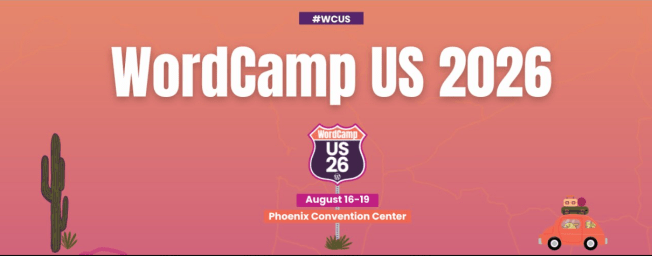
WCUS 2026 has a dedicated AI track
The AI in Action sessions are built around the questions site builders are actually sitting with right now. How do you set guardrails for AI-assisted development without losing client trust? How do you build sites that serve AI agents as visitors, not just humans? What are the legal and ethical boundaries when you put AI tools in front of clients?
They’re practical sessions for developers navigating a workspace that changed faster than anyone planned for. The full schedule is live. If you’re figuring out how AI changes your pricing, your workflow, or your service model, this is a rare room to be in.
August 16–19, Phoenix Convention Center. $100 includes four days, all sessions, lunch, and the community social. us.wordcamp.org/2026/tickets

Developing Gutenberg and WordPress
WordPress 7.1 Beta 3 is now available for testing.
Rae Morey, The Repository, has the news WordPress 7.1 Beta 3 Now Available, Punts Unicode Email Support Over Security Concerns
Contribute by Help Test WordPress 7.1 and learn deeply how the new features and blocks work. It’s a very impactful way to contribute to the open-source project that powers hundreds of millions of websites.
Quite a few Dev notes made it out of the publishing queue this week:
- Text Shadow Support in Global Styles
- Editor components updates in WordPress 7.1
- Editable blocks inside the Custom HTML block
- React 19: punted beyond WordPress 7.1, experiment in Gutenberg
- Registering and rendering SVG icons in WordPress 7.1
 The latest episode is
Plugins, Themes, and Tools for #nocode site builders and owners
On the WordPress.com blog, Joe Fylan explains what agentic commerce means for your store. AI assistants that discover, compare, and buy products on a shopper’s behalf. You’ll get an overview of where the big AI tools stand on in-chat checkout, plus reassurance that small stores can win with verifiable facts. Fylan’s checklist for getting ready: clear product descriptions, structured data, and making sure your robots.txt isn’t blocking the agents you want.
Dave Smith, core committer and Gutenberg contributor, thinks WordPress has a homepage problem — and he built a better version to prove it. In his video, he walks you through why setting a static homepage trips up so many beginners, then demos a prototype exploring a simpler, clearer approach. You can try the live demo yourself in the browser. Smith wants to know if the direction resonates, so drop your homepage struggles in the video’s comments.
Theme Development for Full Site Editing and Blocks
In episode 226 of the WP Tavern Jukebox podcast, Nathan Wrigley talks with Jessica Lyschik about why accessibility in WordPress themes is easier than you think. Fresh from her WordCamp Europe 2026 talk, Lyschik walks you through the recently updated accessibility-ready requirements, quick wins like correct HTML tags, alt text, and skip links, and why block themes make much of this effortless because Core handles it. The insight: AI agents navigate your site like screen readers do.
Ryan Welcher digs into how WordPress decides a theme is a “block theme” — and the answer might surprise you. It all comes down to one file: templates/index.html exists, or it doesn’t. Neither theme.json nor patterns flip the switch, which is why Astra, Kadence, and Blocksy all still test classic.
Building Blocks and Tools for the Block editor
In episode 477 of the WP Builds podcast, Nathan Wrigley talks with Olly Campion and Tommy Rockett about lessons from their WordPress plugin business and their block-based plugin Slidey Panel, which slides customizable side panels into any site. You’ll hear how years of client work revealed a gap in both classic themes and the block editor, the philosophy behind their “page as panel” approach, and their candid take on AI, market share shifts, and the future of bespoke agency work.
Ryan Welcher walks you through What’s New for WordPress Developers for July 2026 in his monthly video roundup. You’ll learn why WordPress 7.0.2 is a must-install security release, how to test React 19 via a runtime flag in Gutenberg 23.4, and what the now-enforced iframed editor means for your themes. He also covers responsive styling, Block Bindings for list items, and MCP support in Playground. Prefer reading? There’s a companion post on the Developer Blog.
What’s new with Playground
The Playground team wants your help testing the new WordPress Playground UI before it officially launches. Fellyph Cintra shares four testing modules you can pick from: creating and managing Playgrounds, the Blueprint experience, developer tools like Files and Logs, and import/export workflows. Five minutes on desktop or mobile is enough, and the post walks you through each step. Feedback on text clarity, mechanics, and design goes into the GitHub issue #4092.
Elliott Richmond shares how he uses WordPress Playground and Blueprints to train clients on block themes, inspired by WordCamp Europe. For a client migrating from a classic theme, he trimmed a gigabyte-plus database to a 50MB export, then built a Blueprint that loads their actual theme, plugin, and content into a disposable in-browser site. You send one link, the client can safely break things, and a refresh resets everything — no hosting or credentials needed.
WordPress and AI
On the Kinsta blog, Carlo Daniele takes a deep dive into the WordPress AI integration architecture that arrived with WordPress 7.0. You’ll learn how the three layers — Connectors, AI Client, and Providers — replace bundled SDKs and provider-specific code with the unified wp_ai_client_prompt() function. Daniele then walks you through building a real plugin, available on GitHub, that transcribes an audio note and converts it into structured Gutenberg blocks via two AI passes.
An interesting take: On the MemberPress blog, SEO veteran Curt Noble argues that WordPress lost market share and got stronger. Drawing on twenty years in SEO, including his own private blog network (PBN) days, Noble contends the dip mostly reflects Google demolishing the spam economy that ran on WordPress. Meanwhile, search interest hit a five-year high, WordPress dominates the top 10,000 sites, and the vibe-coding security hangover is sending founders back to proven platforms. Noble’s bigger point: with the AI Client, Abilities API, and MCP Adapter, WordPress became the platform AI agents can natively and safely operate.
Jeff Paul announced what’s new in AI 1.2.0, the latest release of the canonical AI plugin. You’ll find a new Suggest Reply experiment that drafts contextual comment responses for moderators to review, bulk Content Summary generation for existing content libraries, and two read-only Abilities: core/read-content and core/read-users. The settings screen got simpler, too, with advanced controls now tucked behind an opt-in Developer Tools option. Content Translations and C2PA (Coalition for Content Provenance and Authenticity) tracking are on the 1.3.0 roadmap.

Questions? Suggestions? Ideas?
Don’t hesitate to send them via email or
send me a message on WordPress Slack or Twitter @bph.
For questions to be answered on the Gutenberg Changelog,
send them to changelog@gutenbergtimes.com